Signing up
- Go to eregs.app/signup.
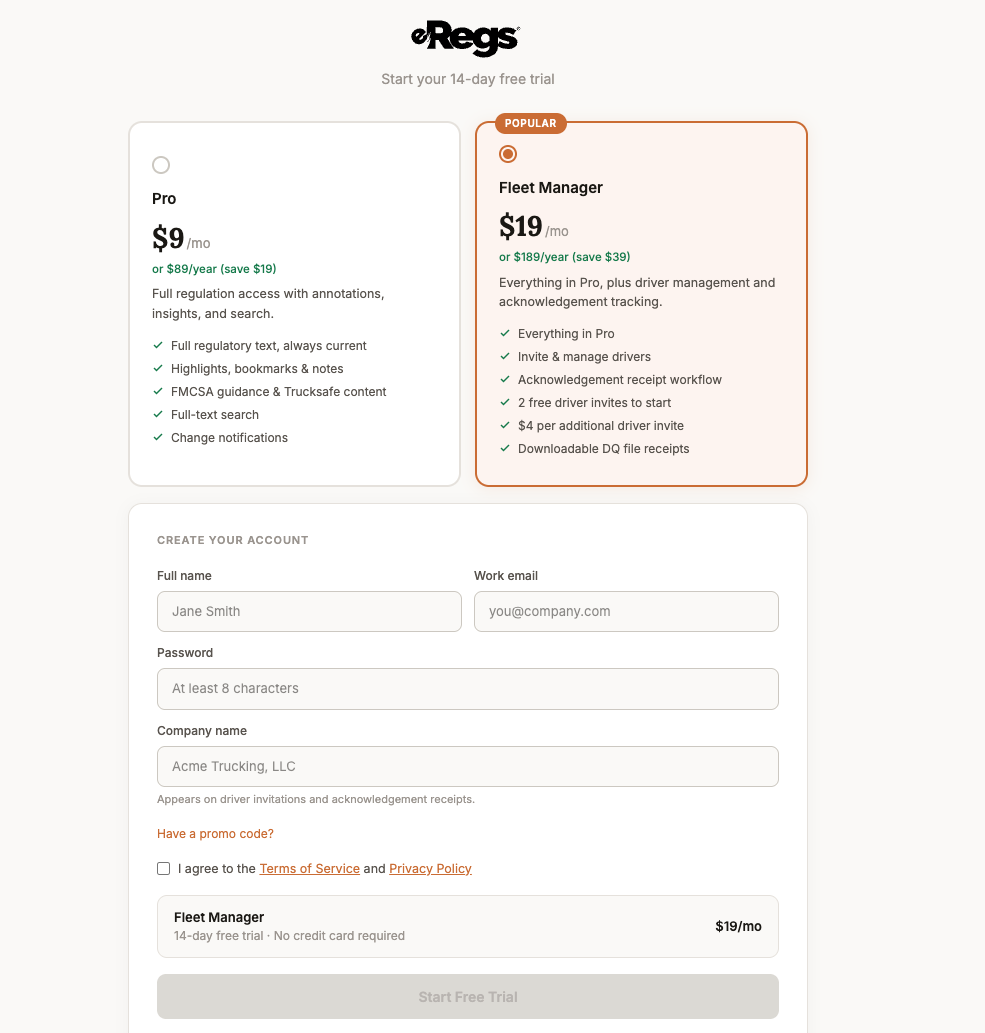
- Choose your plan: Pro ($9/mo) for individual use, or Fleet Manager ($19/mo) if you manage drivers.
- Enter your full name, email address, and a password (at least 8 characters).
- Check the box to agree to the Terms of Service and Privacy Policy.
- Click Start free trial.
Your 14-day free trial begins immediately. No credit card is required to start.
After signing up
You will land on your dashboard where you can:
- Browse the full regulation reader.
- Add highlights, notes, and bookmarks to any paragraph.
- Access FMCSA guidance and Trucksafe content in the Insights panel.
- Use full-text search across all regulations and content.
- (Fleet Manager) Begin inviting drivers from the Fleet page.
Adding a payment method
Before your trial ends, add a payment method so your access continues uninterrupted:
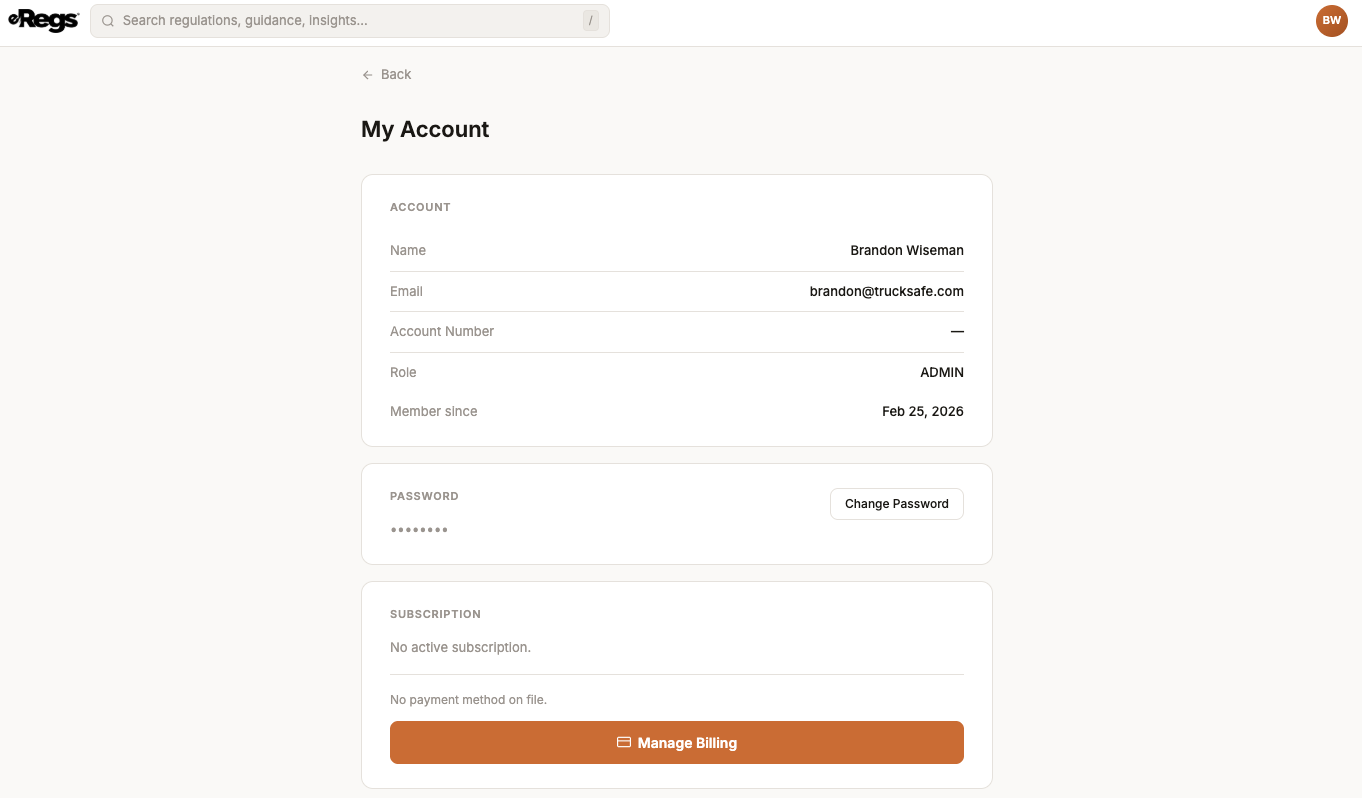
- Click your avatar in the top-right corner, then select Account.
- Scroll to the Subscription section and click Manage Billing.
- The Stripe billing portal opens. Add or update your credit card there.
If you do not add a payment method before the trial ends, your account will be paused. Your data is preserved and you can resume at any time by subscribing.